How it works
Set up your group, then coach from daily activity.
Try CalorieBot with a few clients, introduce a paid offer when you’re ready, and use their meal logs, check-ins and challenges to guide your coaching.
Start your groupNo cost until you sell. See pricing and trial terms.
01 Getting your group ready
Set up your group and try it.
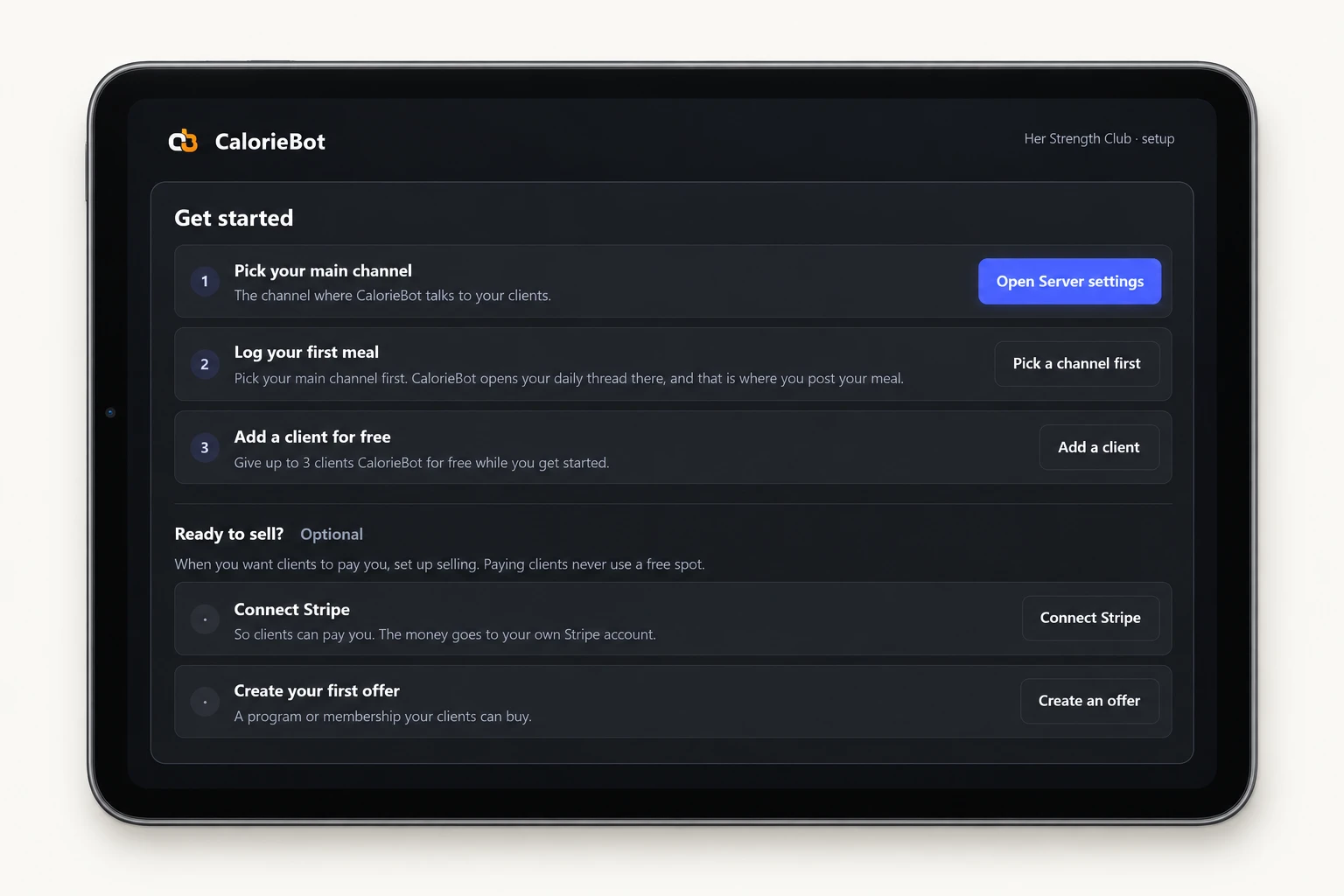
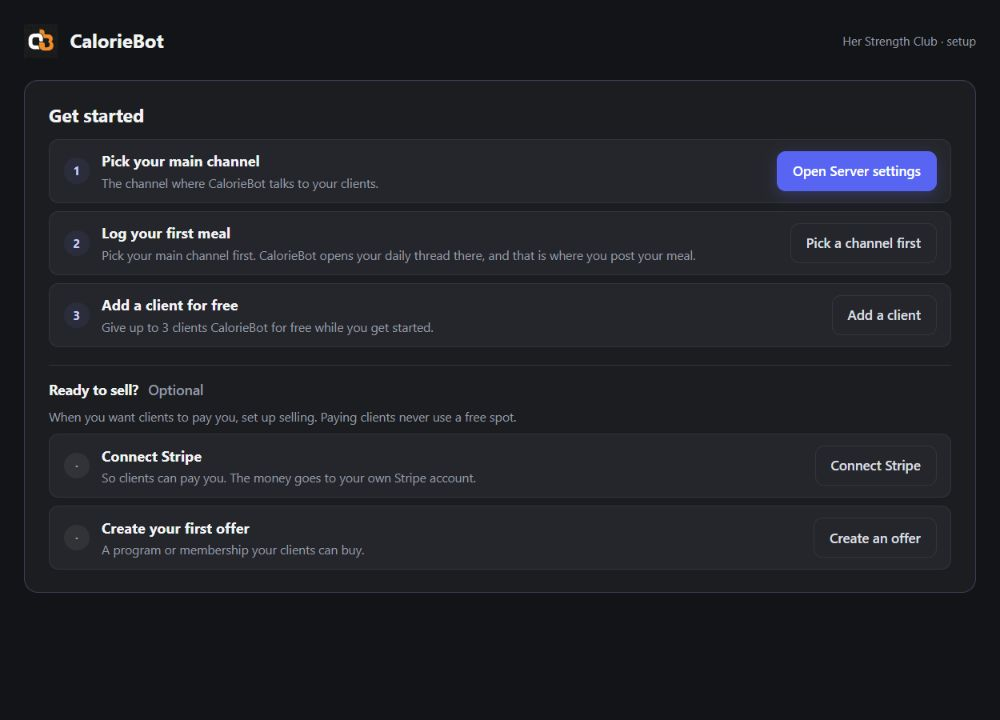
Install CalorieBot in Discord, choose your main channel and post a meal in your first daily thread. Add up to three free clients to try it together.
YouChoose where your group checks in.
02 Getting your group ready
Share your offer when you’re ready.
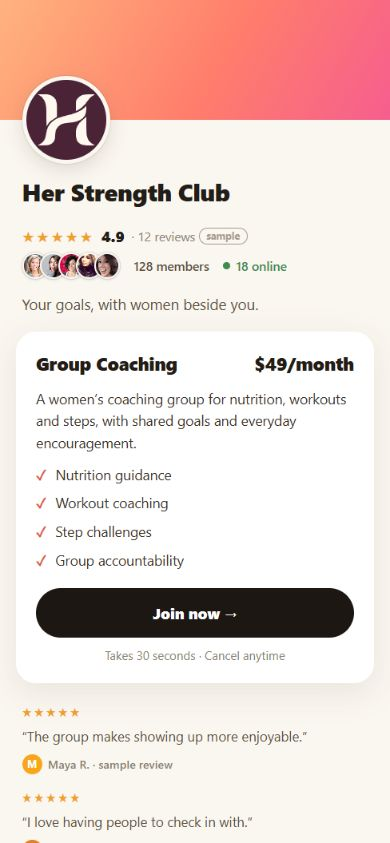
When you’re ready to sell, connect your Stripe account, create an offer and share its payment page. Paying clients receive a Discord invitation and access.
YouTry the coaching tools before setting up payments.
03 The everyday experience
Make tracking part of the day.
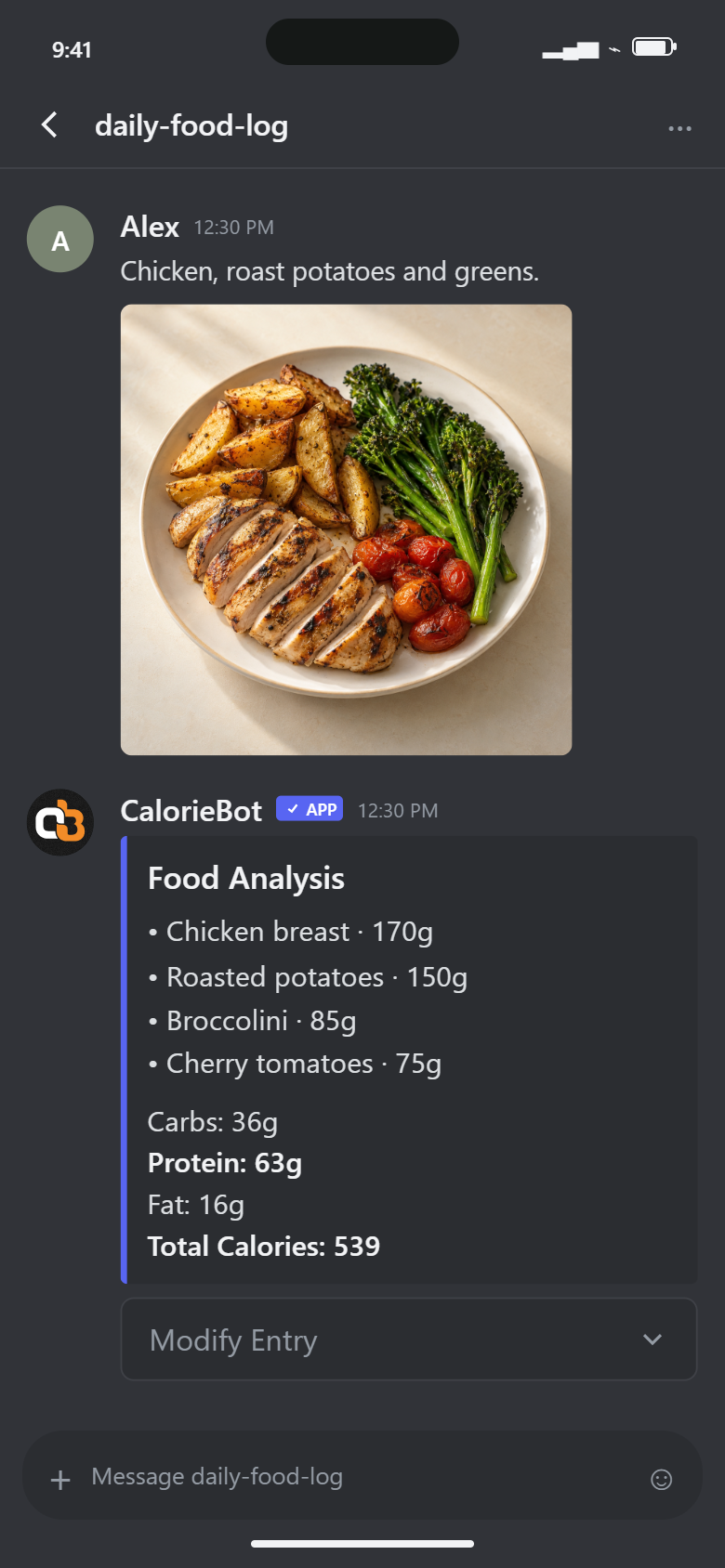
Clients log food with a photo or text, then record workouts and steps. Their daily threads give those check-ins a regular place in your group.
ClientsPost what they ate and how they moved.
04 The everyday experience
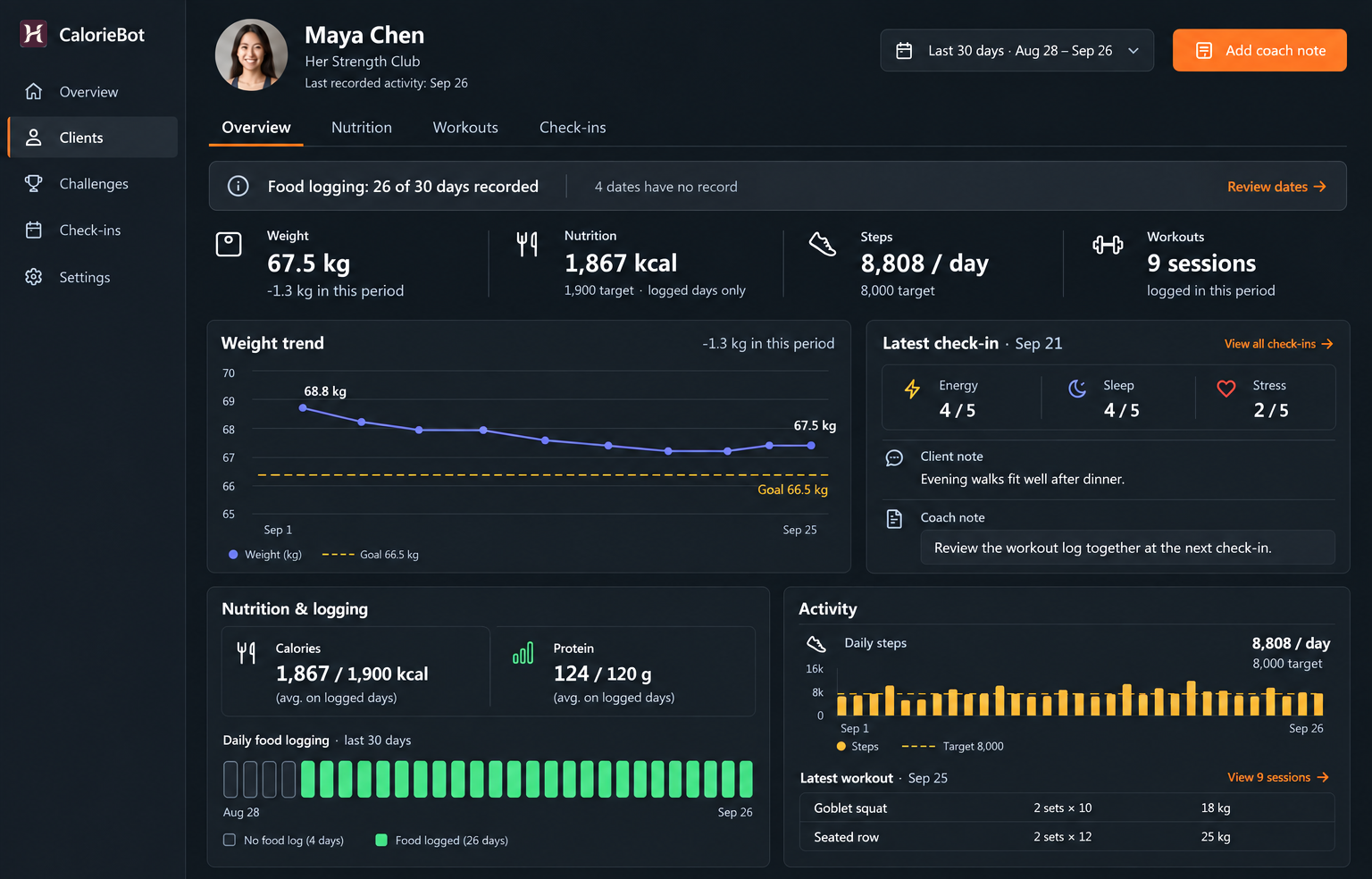
See each client’s progress before your next check-in.
Review weight trends, food logging, calories, protein, steps and workout sets and reps in one client dashboard. Use check-ins and notes to decide what to discuss next.
YouReview the record, then guide the next step.
Before your first check-in.
Do clients need to learn Discord?
Clients use Discord to take part. Show them the main channel and daily threads, where they’ll post logs and read feedback. Start by walking through a first meal post together.
Can I try before selling?
Yes. You and up to three clients can try CalorieBot free for 30 days, without a card or Stripe account. After that, free access continues while you have at least one paying client; otherwise it pauses until a sale.
See pricing and trial terms